












- Ready for advanced AI PCs: Designed for the future of AI computing, with the power and connectivity needed for demanding AI applications
- AMD AM5 socket: Ready for AMD Ryzen 9000, 8000 and 7000 Series Desktop Processors
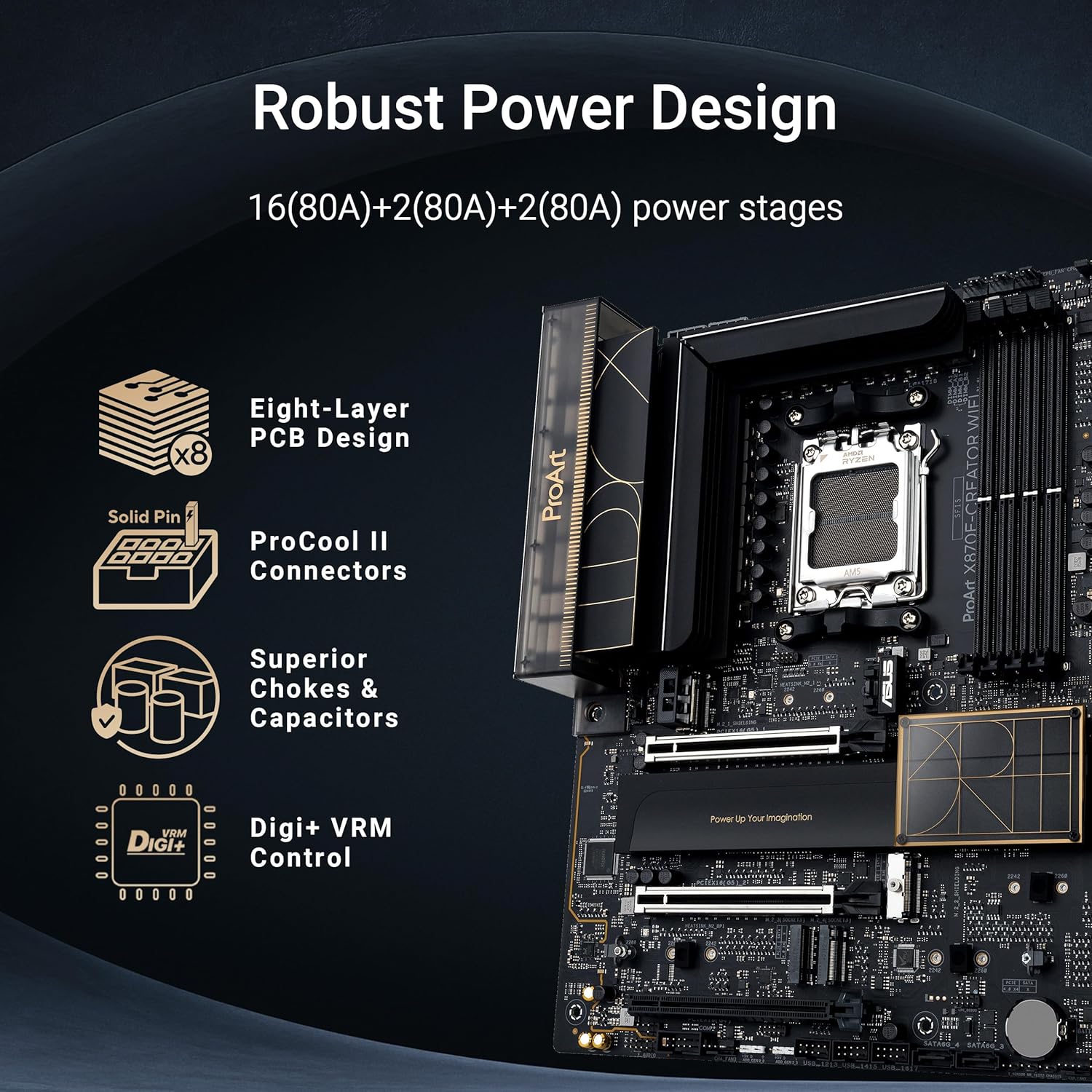
- Robust performance: 16+2+2 teamed power stages, ProCool II power connectors, high-quality alloy chokes and durable capacitors
- Future-proofed connectivity: Dual USB4 ports, 10 Gb & 2.5 Gb Ethernet, WiFi 7, PCIe 5.0 x16 slot full support for next-gen GPUs, two PCIe 5.0 and two PCIe 4.0 M.2 slots and a USB 20Gbps front panel connector with 30W PD/Quick Charge 4+
- Exclusive AI and overclocking technologies: AI Overclocking, AI Cooling and AI Networking II, Dynamic OC Switcher, and Core Flex
- DIY-Friendly design: PCIe Slot Q-Release Slim with SafeSlot, M.2 Q-Release, M.2 Q-Slide, M.2 Q-Latch, Q-Antenna, BIOS FlashBack, Q-Connector
- ProArt gives you more: ProArt Creator Hub with Color Management working in conjunction with Pantone’s proprietary utilities for one-stop system control and creation related settings Advanced security: USB port management, software blacklisting and Regedit on/off controls via ASUS Control Center Express
 Overview
| Processor Socket |
Socket AM5 |
|---|---|
| Compatible Devices |
Keyboard ,Monitor ,Mouse ,asus laptop ,asus pc |
| RAM Memory Technology |
DDR5 |
| Compatible Processors |
AMD Ryzen 7000 Series |
| Chipset Type |
AMD X870E |
| Memory Clock Speed |
320 MHz |
| Platform |
Windows 10 ,Windows 11 |
| CPU Model |
Ryzen 7 |
| Memory Storage Capacity |
256 GB |
| Ram Memory Maximum Size |
256 GB |
| Main Power Connector Type |
24-Pin |
| Graphics Card Interface |
PCI Express 4.0 |
| Memory Slots Available |
6 |
| Number of Ports |
26 |
| System Bus Standard Supported |
SATA 3 |
| Total SATA Ports |
6 |
| Total Usb Ports |
20 |
| Number of Ethernet Ports |
1 |
| Total PCIe Ports |
3 |
| Brand |
Asus |
| Model Name |
ProArt X870E-CREATOR WIFI |
| Model Number |
ProArt X870E-CREATOR WIFI |
| Manufacturer |
Asus |
| UPC |
197105730779 |
| Country of Origin |
China |
| Item height |
11.1 inches |
| Item Weight |
1.32 kg |
| Warranty Description |
3 Year Manufacturer |
| Item Dimensions L x W x H |
8.6L x 36.6W x 28.2H Centimetres |
 Processor
| Processor Socket |
Socket AM5 |
|---|---|
| Compatible Devices |
Keyboard ,Monitor ,Mouse ,asus laptop ,asus pc |
| RAM Memory Technology |
DDR5 |
| Compatible Processors |
AMD Ryzen 7000 Series |
| Chipset Type |
AMD X870E |
| Memory Clock Speed |
320 MHz |
| Platform |
Windows 10 ,Windows 11 |
| CPU Model |
Ryzen 7 |
| Memory Storage Capacity |
256 GB |
| Ram Memory Maximum Size |
256 GB |
| Main Power Connector Type |
24-Pin |
| Graphics Card Interface |
PCI Express 4.0 |
| Memory Slots Available |
6 |
| Number of Ports |
26 |
| System Bus Standard Supported |
SATA 3 |
| Total SATA Ports |
6 |
| Total Usb Ports |
20 |
| Number of Ethernet Ports |
1 |
| Total PCIe Ports |
3 |
| Brand |
Asus |
| Model Name |
ProArt X870E-CREATOR WIFI |
| Model Number |
ProArt X870E-CREATOR WIFI |
| Manufacturer |
Asus |
| UPC |
197105730779 |
| Country of Origin |
China |
| Item height |
11.1 inches |
| Item Weight |
1.32 kg |
| Warranty Description |
3 Year Manufacturer |
| Item Dimensions L x W x H |
8.6L x 36.6W x 28.2H Centimetres |
 Display
| Processor Socket |
Socket AM5 |
|---|---|
| Compatible Devices |
Keyboard ,Monitor ,Mouse ,asus laptop ,asus pc |
| RAM Memory Technology |
DDR5 |
| Compatible Processors |
AMD Ryzen 7000 Series |
| Chipset Type |
AMD X870E |
| Memory Clock Speed |
320 MHz |
| Platform |
Windows 10 ,Windows 11 |
| CPU Model |
Ryzen 7 |
| Memory Storage Capacity |
256 GB |
| Ram Memory Maximum Size |
256 GB |
| Main Power Connector Type |
24-Pin |
| Graphics Card Interface |
PCI Express 4.0 |
| Memory Slots Available |
6 |
| Number of Ports |
26 |
| System Bus Standard Supported |
SATA 3 |
| Total SATA Ports |
6 |
| Total Usb Ports |
20 |
| Number of Ethernet Ports |
1 |
| Total PCIe Ports |
3 |
| Brand |
Asus |
| Model Name |
ProArt X870E-CREATOR WIFI |
| Model Number |
ProArt X870E-CREATOR WIFI |
| Manufacturer |
Asus |
| UPC |
197105730779 |
| Country of Origin |
China |
| Item height |
11.1 inches |
| Item Weight |
1.32 kg |
| Warranty Description |
3 Year Manufacturer |
| Item Dimensions L x W x H |
8.6L x 36.6W x 28.2H Centimetres |
 RAM
RAM
| Processor Socket |
Socket AM5 |
|---|---|
| Compatible Devices |
Keyboard ,Monitor ,Mouse ,asus laptop ,asus pc |
| RAM Memory Technology |
DDR5 |
| Compatible Processors |
AMD Ryzen 7000 Series |
| Chipset Type |
AMD X870E |
| Memory Clock Speed |
320 MHz |
| Platform |
Windows 10 ,Windows 11 |
| CPU Model |
Ryzen 7 |
| Memory Storage Capacity |
256 GB |
| Ram Memory Maximum Size |
256 GB |
| Main Power Connector Type |
24-Pin |
| Graphics Card Interface |
PCI Express 4.0 |
| Memory Slots Available |
6 |
| Number of Ports |
26 |
| System Bus Standard Supported |
SATA 3 |
| Total SATA Ports |
6 |
| Total Usb Ports |
20 |
| Number of Ethernet Ports |
1 |
| Total PCIe Ports |
3 |
| Brand |
Asus |
| Model Name |
ProArt X870E-CREATOR WIFI |
| Model Number |
ProArt X870E-CREATOR WIFI |
| Manufacturer |
Asus |
| UPC |
197105730779 |
| Country of Origin |
China |
| Item height |
11.1 inches |
| Item Weight |
1.32 kg |
| Warranty Description |
3 Year Manufacturer |
| Item Dimensions L x W x H |
8.6L x 36.6W x 28.2H Centimetres |
 Storage
| Processor Socket |
Socket AM5 |
|---|---|
| Compatible Devices |
Keyboard ,Monitor ,Mouse ,asus laptop ,asus pc |
| RAM Memory Technology |
DDR5 |
| Compatible Processors |
AMD Ryzen 7000 Series |
| Chipset Type |
AMD X870E |
| Memory Clock Speed |
320 MHz |
| Platform |
Windows 10 ,Windows 11 |
| CPU Model |
Ryzen 7 |
| Memory Storage Capacity |
256 GB |
| Ram Memory Maximum Size |
256 GB |
| Main Power Connector Type |
24-Pin |
| Graphics Card Interface |
PCI Express 4.0 |
| Memory Slots Available |
6 |
| Number of Ports |
26 |
| System Bus Standard Supported |
SATA 3 |
| Total SATA Ports |
6 |
| Total Usb Ports |
20 |
| Number of Ethernet Ports |
1 |
| Total PCIe Ports |
3 |
| Brand |
Asus |
| Model Name |
ProArt X870E-CREATOR WIFI |
| Model Number |
ProArt X870E-CREATOR WIFI |
| Manufacturer |
Asus |
| UPC |
197105730779 |
| Country of Origin |
China |
| Item height |
11.1 inches |
| Item Weight |
1.32 kg |
| Warranty Description |
3 Year Manufacturer |
| Item Dimensions L x W x H |
8.6L x 36.6W x 28.2H Centimetres |
 Video Card
| Processor Socket |
Socket AM5 |
|---|---|
| Compatible Devices |
Keyboard ,Monitor ,Mouse ,asus laptop ,asus pc |
| RAM Memory Technology |
DDR5 |
| Compatible Processors |
AMD Ryzen 7000 Series |
| Chipset Type |
AMD X870E |
| Memory Clock Speed |
320 MHz |
| Platform |
Windows 10 ,Windows 11 |
| CPU Model |
Ryzen 7 |
| Memory Storage Capacity |
256 GB |
| Ram Memory Maximum Size |
256 GB |
| Main Power Connector Type |
24-Pin |
| Graphics Card Interface |
PCI Express 4.0 |
| Memory Slots Available |
6 |
| Number of Ports |
26 |
| System Bus Standard Supported |
SATA 3 |
| Total SATA Ports |
6 |
| Total Usb Ports |
20 |
| Number of Ethernet Ports |
1 |
| Total PCIe Ports |
3 |
| Brand |
Asus |
| Model Name |
ProArt X870E-CREATOR WIFI |
| Model Number |
ProArt X870E-CREATOR WIFI |
| Manufacturer |
Asus |
| UPC |
197105730779 |
| Country of Origin |
China |
| Item height |
11.1 inches |
| Item Weight |
1.32 kg |
| Warranty Description |
3 Year Manufacturer |
| Item Dimensions L x W x H |
8.6L x 36.6W x 28.2H Centimetres |
 Connectivity
| Processor Socket |
Socket AM5 |
|---|---|
| Compatible Devices |
Keyboard ,Monitor ,Mouse ,asus laptop ,asus pc |
| RAM Memory Technology |
DDR5 |
| Compatible Processors |
AMD Ryzen 7000 Series |
| Chipset Type |
AMD X870E |
| Memory Clock Speed |
320 MHz |
| Platform |
Windows 10 ,Windows 11 |
| CPU Model |
Ryzen 7 |
| Memory Storage Capacity |
256 GB |
| Ram Memory Maximum Size |
256 GB |
| Main Power Connector Type |
24-Pin |
| Graphics Card Interface |
PCI Express 4.0 |
| Memory Slots Available |
6 |
| Number of Ports |
26 |
| System Bus Standard Supported |
SATA 3 |
| Total SATA Ports |
6 |
| Total Usb Ports |
20 |
| Number of Ethernet Ports |
1 |
| Total PCIe Ports |
3 |
| Brand |
Asus |
| Model Name |
ProArt X870E-CREATOR WIFI |
| Model Number |
ProArt X870E-CREATOR WIFI |
| Manufacturer |
Asus |
| UPC |
197105730779 |
| Country of Origin |
China |
| Item height |
11.1 inches |
| Item Weight |
1.32 kg |
| Warranty Description |
3 Year Manufacturer |
| Item Dimensions L x W x H |
8.6L x 36.6W x 28.2H Centimetres |
 Features
| Processor Socket |
Socket AM5 |
|---|---|
| Compatible Devices |
Keyboard ,Monitor ,Mouse ,asus laptop ,asus pc |
| RAM Memory Technology |
DDR5 |
| Compatible Processors |
AMD Ryzen 7000 Series |
| Chipset Type |
AMD X870E |
| Memory Clock Speed |
320 MHz |
| Platform |
Windows 10 ,Windows 11 |
| CPU Model |
Ryzen 7 |
| Memory Storage Capacity |
256 GB |
| Ram Memory Maximum Size |
256 GB |
| Main Power Connector Type |
24-Pin |
| Graphics Card Interface |
PCI Express 4.0 |
| Memory Slots Available |
6 |
| Number of Ports |
26 |
| System Bus Standard Supported |
SATA 3 |
| Total SATA Ports |
6 |
| Total Usb Ports |
20 |
| Number of Ethernet Ports |
1 |
| Total PCIe Ports |
3 |
| Brand |
Asus |
| Model Name |
ProArt X870E-CREATOR WIFI |
| Model Number |
ProArt X870E-CREATOR WIFI |
| Manufacturer |
Asus |
| UPC |
197105730779 |
| Country of Origin |
China |
| Item height |
11.1 inches |
| Item Weight |
1.32 kg |
| Warranty Description |
3 Year Manufacturer |
| Item Dimensions L x W x H |
8.6L x 36.6W x 28.2H Centimetres |
 Battery
| Processor Socket |
Socket AM5 |
|---|---|
| Compatible Devices |
Keyboard ,Monitor ,Mouse ,asus laptop ,asus pc |
| RAM Memory Technology |
DDR5 |
| Compatible Processors |
AMD Ryzen 7000 Series |
| Chipset Type |
AMD X870E |
| Memory Clock Speed |
320 MHz |
| Platform |
Windows 10 ,Windows 11 |
| CPU Model |
Ryzen 7 |
| Memory Storage Capacity |
256 GB |
| Ram Memory Maximum Size |
256 GB |
| Main Power Connector Type |
24-Pin |
| Graphics Card Interface |
PCI Express 4.0 |
| Memory Slots Available |
6 |
| Number of Ports |
26 |
| System Bus Standard Supported |
SATA 3 |
| Total SATA Ports |
6 |
| Total Usb Ports |
20 |
| Number of Ethernet Ports |
1 |
| Total PCIe Ports |
3 |
| Brand |
Asus |
| Model Name |
ProArt X870E-CREATOR WIFI |
| Model Number |
ProArt X870E-CREATOR WIFI |
| Manufacturer |
Asus |
| UPC |
197105730779 |
| Country of Origin |
China |
| Item height |
11.1 inches |
| Item Weight |
1.32 kg |
| Warranty Description |
3 Year Manufacturer |
| Item Dimensions L x W x H |
8.6L x 36.6W x 28.2H Centimetres |
 General
| Processor Socket |
Socket AM5 |
|---|---|
| Compatible Devices |
Keyboard ,Monitor ,Mouse ,asus laptop ,asus pc |
| RAM Memory Technology |
DDR5 |
| Compatible Processors |
AMD Ryzen 7000 Series |
| Chipset Type |
AMD X870E |
| Memory Clock Speed |
320 MHz |
| Platform |
Windows 10 ,Windows 11 |
| CPU Model |
Ryzen 7 |
| Memory Storage Capacity |
256 GB |
| Ram Memory Maximum Size |
256 GB |
| Main Power Connector Type |
24-Pin |
| Graphics Card Interface |
PCI Express 4.0 |
| Memory Slots Available |
6 |
| Number of Ports |
26 |
| System Bus Standard Supported |
SATA 3 |
| Total SATA Ports |
6 |
| Total Usb Ports |
20 |
| Number of Ethernet Ports |
1 |
| Total PCIe Ports |
3 |
| Brand |
Asus |
| Model Name |
ProArt X870E-CREATOR WIFI |
| Model Number |
ProArt X870E-CREATOR WIFI |
| Manufacturer |
Asus |
| UPC |
197105730779 |
| Country of Origin |
China |
| Item height |
11.1 inches |
| Item Weight |
1.32 kg |
| Warranty Description |
3 Year Manufacturer |
| Item Dimensions L x W x H |
8.6L x 36.6W x 28.2H Centimetres |
Related Products

Queen Size 4 Piece Sheet Set – Comfy Breathable & Cooling Sheets – Hotel Luxury Bed Sheets for Women & Men – Deep Pockets, Easy-Fit, Extra Soft & Wrinkle Free Sheets – White…
In stock
Original price was: $56.20.$25.90Current price is: $25.90.
Compare
SKU:
A34A57FE
| Fabric Type |
Microfiber |
|---|---|
| Care Instructions |
Machine Wash |
| Number of Pieces |
4 |
| Batteries Required |
No |
| Included components |
Fitted Sheet ,Flat Sheet ,Pillowcase |
| Date First Available |
Jan. 23 2017 |
| Manufacturer |
CGK Unlimited |
| Place of Business |
CGK Unlimited ,600 Cleveland Street Suite #323 Clearwater ,FL 33755 |
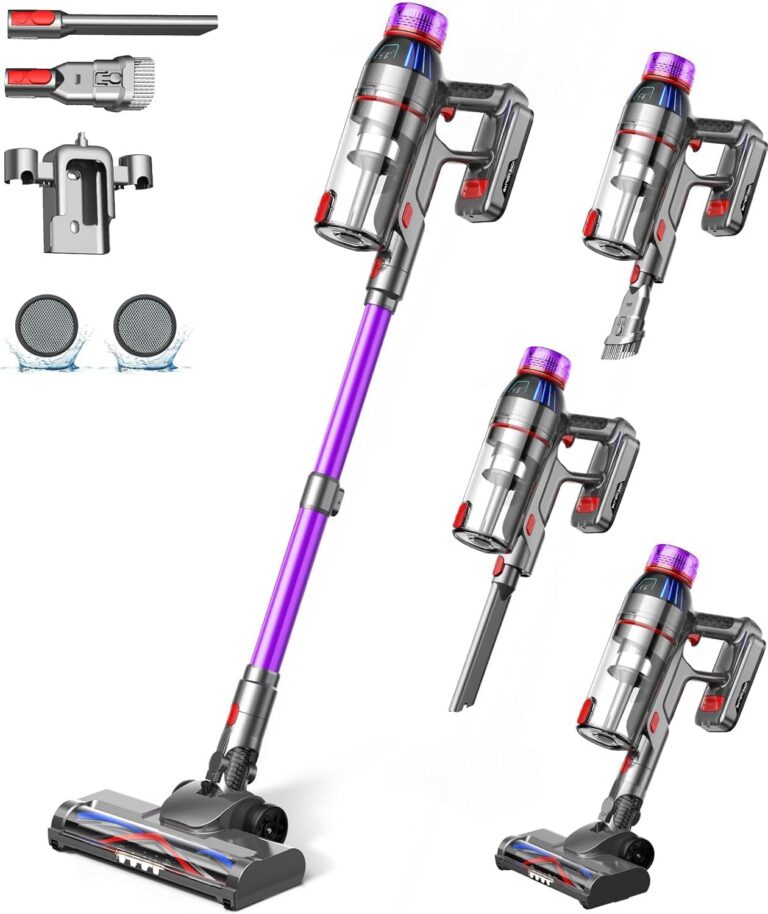
Cordless Stick Vacuum Cleaner: 550W Powerful Suction, LED Display, 55 Min Runtime, Anti-Tangle Brush, Rechargeable Battery, Lightweight for Home, Pet Hair, Hard Floors, Carpet
In stock
Original price was: $432.50.$111.40Current price is: $111.40.
Compare
SKU:
53BD544E
| Brand |
MQDXE |
|---|---|
| Model Number |
TV106S |
| Colour |
Purple |
| Parcel Dimensions |
43.2 x 24.4 x 19.2 cm ,3.29 kg |
| Power/Wattage |
550 watts |
| Voltage |
22.2 Volts |
| Material |
AA |
| Number of Speeds |
3 |
| Runtime |
55 minutes |
| Special Features |
Anti-Tangle Brush ,Cordless Stick Vacuum Cleaner for Home Pet Hair Hard Floors Carpet ,LED Flex Head LED Display ,Rechargeable Battery ,Ultra-Powerful Suction Up to 55 Mins Runtime |
| Item Weight |
3.29 kg |
| Date First Available |
Sept. 11 2024 |
| Manufacturer |
MQDXE |
| Place of Business |
MQDXE |

Utopia Bedding Waterproof Mattress Protector Queen Size, Viscose Made from Bamboo Mattress Cover 200 GSM, Fits 17 Inches Deep, Breathable, Fitted Style with Stretchable Pockets
In stock
Original price was: $27.70.$25.50Current price is: $25.50.
Compare
SKU:
3F93188F
| Brand |
Utopia Bedding |
|---|---|
| Model Number |
FBA_UB0014 |
| Colour |
White |
| Product Dimensions |
203.2 x 152.4 x 43.18 cm ,1.04 kg |
| Material |
80% Polyester ,20% Viscose Derived from Bamboo |
| Special Features |
Fitted Style ,Washable ,Wateproof |
| Item Weight |
1.04 kg |
| Date First Available |
July 20 2016 |
| Manufacturer |
Utopia Bedding |
| Place of Business |
2385 Meadowpine Blvd 1 ,Mississauga |
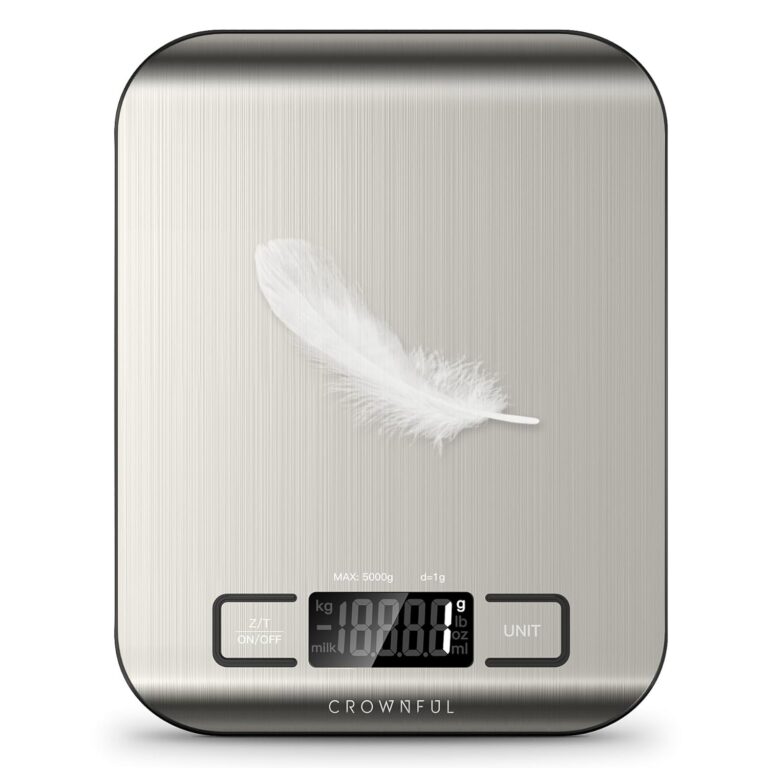
CROWNFUL Food Scale, 11lb Digital Kitchen Scales Weight Ounces and Grams for Cooking and Baking, 6 Units with Tare Function (Battery Included)
In stock
Original price was: $19.00.$15.60Current price is: $15.60.
Compare
SKU:
775EA946
| Manufacturer |
CROWNFUL |
|---|---|
| Place of Business |
Anaheim ,CA 92804 ,US |
| Part number |
SYDZC1 |
| Item Weight |
230 g |
| Product Dimensions |
1.5 x 18 x 14 cm ,230 g |
| Batteries |
1 CR2032 batteries required. |
| Item model number |
CF-KS01 |
| Colour |
Sliver |
| Material |
Stainless Steel |
| Power source type |
Battery |
| Voltage |
3 Volts |
| Item Package Quantity |
1 |
| Maximum Weight Capacity |
5 Kilograms |
| Display Style |
LCD |
| Special Features |
Backlit Display |
| Batteries Included |
No |
| Batteries Required |
Yes |
| Battery Cell Type |
Alkaline |
| Length |
1.5 Centimetres |
| Width |
18 Centimetres |
| Height |
14 Centimetres |
| Date First Available |
Sept. 22 2020 |

LEVOIT Humidifiers for Bedroom, 2.5L Top Fill Cool Mist Air Humidifier for Baby Nursery, Plants, Ultrasonic, Auto Shut-off, BPA Free, Quiet, Knob Control, 360° Nozzle
In stock
$43.20
Compare
SKU:
DBF729DA
| Item Weight |
2.16 Pounds |
|---|---|
| Care Instructions |
Hand Wash |
| Assembly Required |
No |
| Number of Pieces |
1 |
| Type of Guarantee |
2 year |
| Batteries Required |
No |
| Included components |
1 x 2.5L Top-Fill Cool Mist Humidifier Classic 160 ,Cleaning Brush ,User Manual ,Water Filter Sponge |
| Date First Available |
Aug. 15 2023 |
| Manufacturer |
LEVOIT |
| Place of Business |
ANAHEIM ,CA ,92806 US |
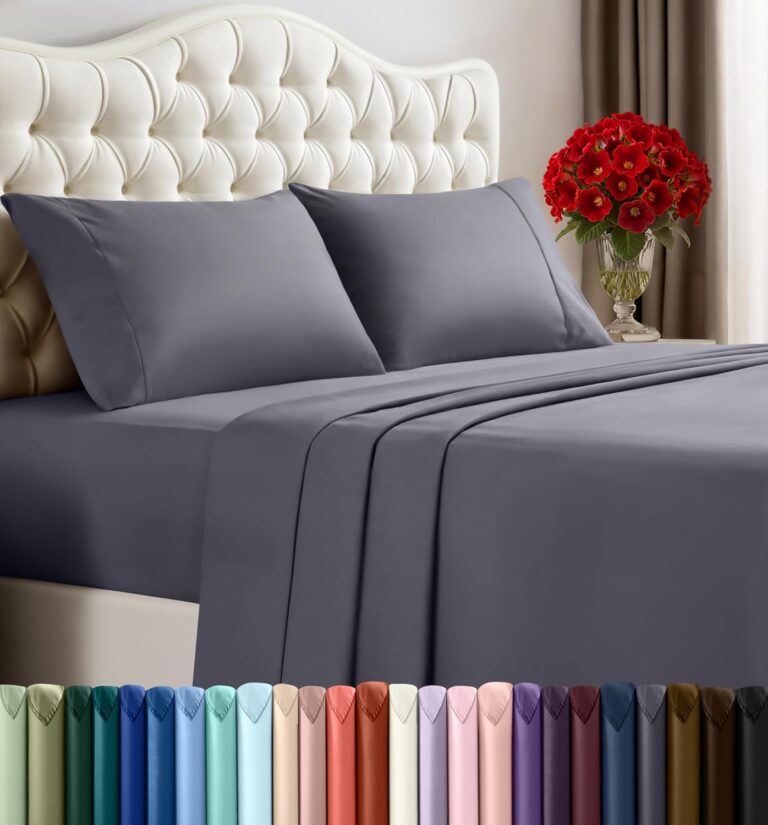
Utopia Bedding Queen Sheet Set – 4 Piece Queen Bed Sheets Set – Soft Brushed Microfiber Fabric – Shrinkage & Fade Resistant – Easy Care (Grey)
In stock
Original price was: $30.30.$19.00Current price is: $19.00.
Compare
SKU:
CC8B720D
| Fabric Type |
100% Polyester Microfiber |
|---|---|
| Tick-Repellent Material |
100% Polyester |
| Finish Types |
Soft |
| Care Instructions |
Machine wash ,tumble dry or iron low heat ,Do not bleach |
| Number of Pieces |
4 |
| Batteries Required |
No |
| Included components |
Fitted Sheet ,Flat Sheet ,Pillowcase |
| Date First Available |
Sept. 24 2015 |
| Manufacturer |
Utopia Bedding |
| Place of Business |
2407 Meadowpine Blvd 1 ,Mississauga ,ON L5N 6C3 ,Canada |
BvB –
Price paid: 405$
Version: Asus x670e proart creator
Where do I start? I wanted to maximize my use case for this board so I had many expectations to fill.
My use case
—————
I currently plan on using this board for linux gaming, steam in home game streaming, full stack development, experimenting with homelabbing, development vms (macos / windows / linux), etc.
Future use cases include: a secondary truenas server running along side desktop use, a full blown server, a handbrake server, 3D game development, etc. etc. etc.
Since I am going to be d!icking around a lot, I didn’t want a motherboard that would limit my creativity (pun not intended)
Motherboard goals:
– VFIO for GPU passthrough to VMs – (development, steam streaming)
– Server instances
– Future homelab server
– Longevity: Plan on using this thing for 10 years
– Ego fullfillment
The Market
————–
From all the research I could gather, my options were: Asus Proart Creator b650, this board, Asrock x670e taichi, MSI Carbon. Focusing on the x670e boards, they all have more or less the same features. Each brand used a small portion of the chipset bandwidth for something else.
– Taichi (~490$): 8 sata ports, 8 usb, 2 thunderbolt, 1 nic (2.5), 2 pcie slots (x16/x0 or x8/x8), optical out, q-code led matrix
– Carbon (~440$): 6 sata ports, 8 usb, NO thunderbolt, 1 nic (2.5), 3 pcie slots (x16/x0/x4 or x8/x8/x4), optical out, q-code led matrix
– Proart (~405$): 4 sata ports, 8 usb, 2 thunderbolt, 2 nic (2.5/10), 3 pcie slots (x16/x0/x2* or x8/x8/x2*), NO optical out, NO q-code led matrix
Of course, there are more nuances, but these were the feature differences that stuck out to me the most. If you want the cheapest VFIO board, get the b650 pro-art. If you want something balls to the walls, the MSI ACE could be a consideration for you. Personally, I did not see a future of emotional fulfillment in either of these boards.
VFIO
——-
IOMMU groupings can be found on the level1tech forums. Passthrough seems to work for some users. However, the groupings on any board aren’t the most atomic. It is the desire of the community for AMD to release an AGESA update that allows for better IOMMU groupings via a bios option. My understanding is this has occurred on last gen (x570) boards. Please take this into account if you are going to do hardcore VFIO stuff. It is not guaranteed that Asus will even support the newer AGESA options, if it even comes out.
Anyways, I originally bought this motherboard in order to allow for two GPUs to be used at the same time. One GPU would be for my linux host, while the other would be given to a windows vm for gaming, card work, development, etc. But I’ll be honest, I haven’t gotten around to setting this feature up. I mainly wanted a windows vm to allow steam game streaming to occur at the same time as I do development work. But, I found a different solution.
I run steam in gamescope on a separate display (TV). This containerizes games so my usage of the desktop doesn’t interfere with someone else streaming a game (if the person streaming uses a controller, not kbm).
My experience with this board
———————————–
So far, everything has mostly run great. I love the quality of the board and aesthetics. The antenna is under-rated too! It looks cool magnetically attached off the back of my hyte y60 case. I haven’t had any issues with drivers on linux (audio, bluetooth, thunderbolt, 2.5gb nic worked great). Also didn’t have any ram issues. Running 6400mhz 2x32gb Teamgroup t-create ram.
Issues I ran into:
– I haven’t actually tested the 10gb nic. Some people claim to have issues with it.
– Couldn’t find the eco mode for my 7900x in the bios. Don’t know if I’m an idiot, or it doesn’t exist.
– No q-code is a joke on this board. I have issues where my gpu will hang the pc on boot. I have no idea why this is happening. My last asus board from 2013 gave a b6 code or something. Why would a mission critical feature like this be missing on a board like this?
– Bios update was looping when I flashed using bios flashback. Kept getting hung updating the thunderbolt firmware. Fixed when I finally unplugged the thunderbolt plug when it did its millionth reboot.
– having 2 more sata ports would have been nice, but the bandwidth is already maxed out.
– Recent Asus controversy was not confidence inspiring.
Conclusion
————–
Everything has been running rock-solid on Manjaro 22.1.3. Wayland is working fine with my 5700xt. Did notice my monitor struggles to sleep/dim. Also, sleep causes a shutdown sometimes when I have certain apps opening. But yeah, considering the software and hardware is cutting edge, I laid a brick with how smooth everything has been running.
Ultimately it has been hard to not recommend this board. Literally everything works out of the box. Didn’t really have any teething issue either. Absolutely ecstatic and hope that this board last 10+ years like my current, but old, Maximus vi gene. For the central core of my PC, I have great piece of mind that future upgrade-ability will not limit me. Are there other boards out there? Sure. But this seems to be the best bang for the buck on the market.
Grumpy old Farmer –
Arrived DOA, could not boot, shutting itself off after 6 seconds. Unfortunately my son died and I was in no position to claim a refund within 30 days but Asus did issue a return for repair and I shipped it (not sure if I’ll be stuck with the shipping). They said that THEIR tests showed a normal board but that I will get a new one regardless. Still waiting, but the reason I award only 3 stars is because a DOA product never gets more than that in MY book. Addendum: the manual is IMO extremely superficial and of not much help.
AmaZunga –
Bought this board with the intend to run 128GB RAM for AI workload with 2 GPU’s. added an AMD Ryzen 9 7900X3D only to find out there are no certified 4 DIMM memory solutions for 128GB. The board falls back to its safe setting of 3200 for Memory which is atrocious. Tried different brands but none of them certify a 4 DIMM solution that works. Had to resort to a different board. My son now uses it in a 2 DIMM solutions and it does work great like that.
The 3 stars is for why sell a 4 DIMM board if you can’t use 4 DIMMS reliable.
me –
MT7927 Wifi not supported on Linux. Most recent boards may have had the WiFi replaced by a QualComm board and not the useless, on Linux, MediaTek MT7927.
Benjamin –
Have it in my system:
R5 7600
Radeon 7900 xtx hellhound
2x24gb 6000 cl30
2x48gb 5200 CL38
2x8tb 3.5″ HDDs
2×1.92tb SATA SSDs
2×1.92 nvme gen3 SSDs
1x2tb SK hynix platinum p41 gen4 nvme SSD
1x2tb Kingston gen4 nvme SSD
2x500gb crucial gen4 nvme SSDs
4xICUE QX120 fans
2xICUE QX140 fans
3xICUE LX120 fans
3xICUE LX120R fans
Supports all of this, it’s crazy, and I’m going to upgrade to either a 9950x3d or the next gen “10950x3d” if I choose to wait a bit longer.
Mooshy –
For most cases most of the features will be overkill for any standard buyer. For the price it is its way better and cheaper than other motherboards with a similar feature set. There are a few incompatibilities and i suggest checking the ASUS website to see what will work with it before buying so you can ensure compatibility. Its also beautiful design is also great for themed builds its looking great with my black, copper and wood theme and I’ve been loving the new ASUS Pro Art line and i hope to see more products like this.
Raven437 –
Good all round board with little or no LED crap. The 10G Ethernet is a huge advantage. AURA support for peripherals and memory is all there. Easy to install and get running for experienced builder. The CPU is fast, the I/O is faster, no twiddling of thumbs, medium size files are just there! I initially thought something was wrong, and they were not actually transferring (move/copy/paste), but they went perfectly with MS x-fer or Teracopy. Not as starkly bare-bones as the ASUS TUF boards.
Javier –
Excellent built quality for the ASUS motherboard. First time boot trouble as I have not attached the liquid cooler and used only an air fan before actually fixed into the computer case. Only figured out that the sytem shuts down due to CPU over temperature and took some remedial actions, all the rest are getting back to normal. Installation for RAM, SSD, Display Card are all easy. ASUS’s software takes care of everything regarding driver installation. Ran a 100%CPU test for some 30 minutes, not trouble at all.
M.A. –
I used this board to build a machine with AMD Ryzen 9 7950X CPU, G.Skill Flare X5 64 Gb of 6000 MHz RAM, and KC3000 2Tb SSD to start with. Everything worked out of the box, including CPU and RAM AI overclocking. With a 360 mm AIO, the CPU can boost the cores to 5.85 GHz but I saw all cores compiling a kernel module running at 5.4 GHz. With Linux 22.04, all Ethernet and WiFi modules are recognized and working out of the box.
I chose this to run a two GPU setup; however, that is the only disadvantage of these PCIe Gen 5 board:
The two PCIe Gen 5.0 slots run at 8x in Gen 5 OR also 8x in Gen 4 mode. Despite the fact that the 8x Gen 5 = 16x Gen4 in terms of bandwidth, the GPUs do not get 16x Gen 4 because the bifurcation only splits 16x into two 8x in terms of available physical lines. It does not turn 8x Gen 5 into 16x Gen 4 PCIe slot. Fortunately, for most GPUs, 16x or 8x Gen 4 does not make much difference (1% or so slower for 8x).
Grumpy old Farmer –
Found out a) that the Asus label was overlaid with another label, partly hiding the serial number required for ASUS tech support and likely warranty registration b) this board appears to need a bios flash to enable support of 7950x3d with current bios.
Update: Re-ordered tub of thermal paste, small usb stick obtained for flashing bios, followed Asus support video for flashing bios, failed to flash, therefore complete failure. Back and forth with Amazon support resulted in refund. For some reason, the reorder delivery date shows as 38 days – unacceptable.
Update 2: Replacement motherboard arrived, still had a CPU fault LED. Confirmed again that all parts were returnable. Next morning Asus support diagnosed that this board was at BIOS 1710, supporting the 7950x3d, then suggested clear CMOS. Also changed CMOS battery. That resolved the problem, which MAY have been the same on the first motherboard. Up and running..
Now that it is running on the replacement motherboard, the CPU temp is in the mid 30C range with one fan in the middle of the Noctua 15D air cooler. All 16 cores run at 4.5 to 5.1 mhz without sweating. Upgraded final rating to 4star. Also applies to 7950x3d review – best miniThreadripper so far.
nkkee –
Excelente producto
Frederic Naud –
This is an amazing motherboard. It has all the features one might need, with nothing superfluous. The design is great, the performance is great but…
Trying to find RAM for this motherboard is hard. I run lots of VMs so I need lots of RAM. I picked two sets of 2x42gb RAM.
The first set, from Crucial, was not on Asus’ QVL so I could get no supports.
Changed the RAM for sets of Corsair, which are on Asus’ QVL, but running above 4200 leads to POST errors.
Trying to get support from Asus is a nightmare where they spend more time trying to find ways not to help than otherwise.
They have, so far, tried everything to find a reason why they would not help, not a single suggestion has been made.
Even curiouser, Corsair told me this set of DDR5 is not supported on their side on AM5 motherboards, although Asus lists it on their QVL!!!
I am able to run the RAM at 4200, quite disappointing since it is rated for 6000. It’s been several days, still waiting for Asus to suggest a single troubleshooting/configuration step.
I will gladly update this review if anything ever gets provided by Asus support (but I’m not holding my breath).
Other issues encountered:
-Armoury Crate crashes when I access the Fan panel, which would be useful to control fan speed…
-Most NVMEs will not fit with the motherbord heat spreader. Since it covers all lower NVMe ports, you will have to do without and, if necessary, use individual heat sinks for each NVMe drive
TLDR: If you want lots of RAM, this is not the motherboard for you. If you run into issues and expect support from the vendor, this is not the brand for you.
Entilza –
Very nice board, pleasure to assemble. Rock solid so far as expected.. Note ASUS has created a quick release button for the GPU. Almost went crazy removing the graphics card somehow it came out, later I discovered they use a new release button system… Live and learn! LOL